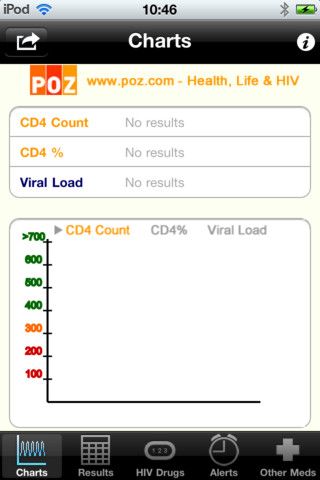
I hope that my iStayHealthy app for people with HIV is straight-forward and relatively self explanatory. However, here a quick summary in case you wonder how to use it - and the results you may get back.
- Chart tab: click on either CD4 to see your CD4 results. Click on Viral get the chart for your Viral Load results. Rotate your device to get both CD4 count and Viral Load together. Click the 'i' button to get a brief explanation of what CD4 counts and Viral Load results mean.
- Results tab: shows each individual result with the most recent first and the earliest last. Click the '+' sign to add a result and result date.
- HIV Drugs tab: lists your current HIV medication. Click the '+' sign to add a new medication. When adding medication a picker will give you a choice of currently licensed medication. If you have medication not listed there (for instance HIV medication on trial) you may want to type the name in the field 'Drug Name'.
- Alerts tab: shows the list of your current alerts. Click the '+' button to add an alert. You can select the repeats, alert label, and select from a list of sounds.
- Other Meds tab: I added this to allow HIV patients add any other non-HIV related medication.
Some tips
- All but the Charts tab have an 'Edit' button that allows you to delete individual results, drugs, alerts. This is only meant in case you accidentally entered the wrong dates/data. Otherwise I would not recommend deleting drugs or results. iStayHealthy shows the progression of HIV with and without treatment. Say you will have to change your medication. The charts will show each time you add new HIV medication. This will help you monitor how effective the drugs are in terms of CD4 count and viral loads.
- Undetectable: when adding a CD4/viral load result you have the option of selecting 'undetectable'. iStayHealthy will then show a text 'undetectable' instead of the actual viral load value. In the Viral Load chart - the viral load value will drop down to the x-axis. This might indicate a value of 0. However, it is important you realise that 'undetectable' does NOT mean HIV is no longer in your body. Rather it means your HIV level is significantly suppressed - so much so that your immune system has a chance to recover.
- The Viral Load markers in the charts follow a logarithmic scale. This means instead of 1,000 you will see 10^3. Instead of 1,000,000 you will see 10^6. only values showing 10 and 100 are shown as their natural integer values.
- Adding alerts: if you want to change the times/label/sound click on the listed alerts and change the settings. Example: you choose an alert to be repeated 2x per day. iStayHealthy will then fire the alert exactly every 12 hours. If you want to change that edit each of the 2 alerts and change the time.
Sound Files
I have used the SMS default alert sound provided with iOS. In addition to that I included a small set of alternative sound files, which I purchased from iTunes (ringtones).
Links
iPhone/iPad Users Click Here
Android Users Click Here
For Support With This App Click Here